27 Dec, 2025
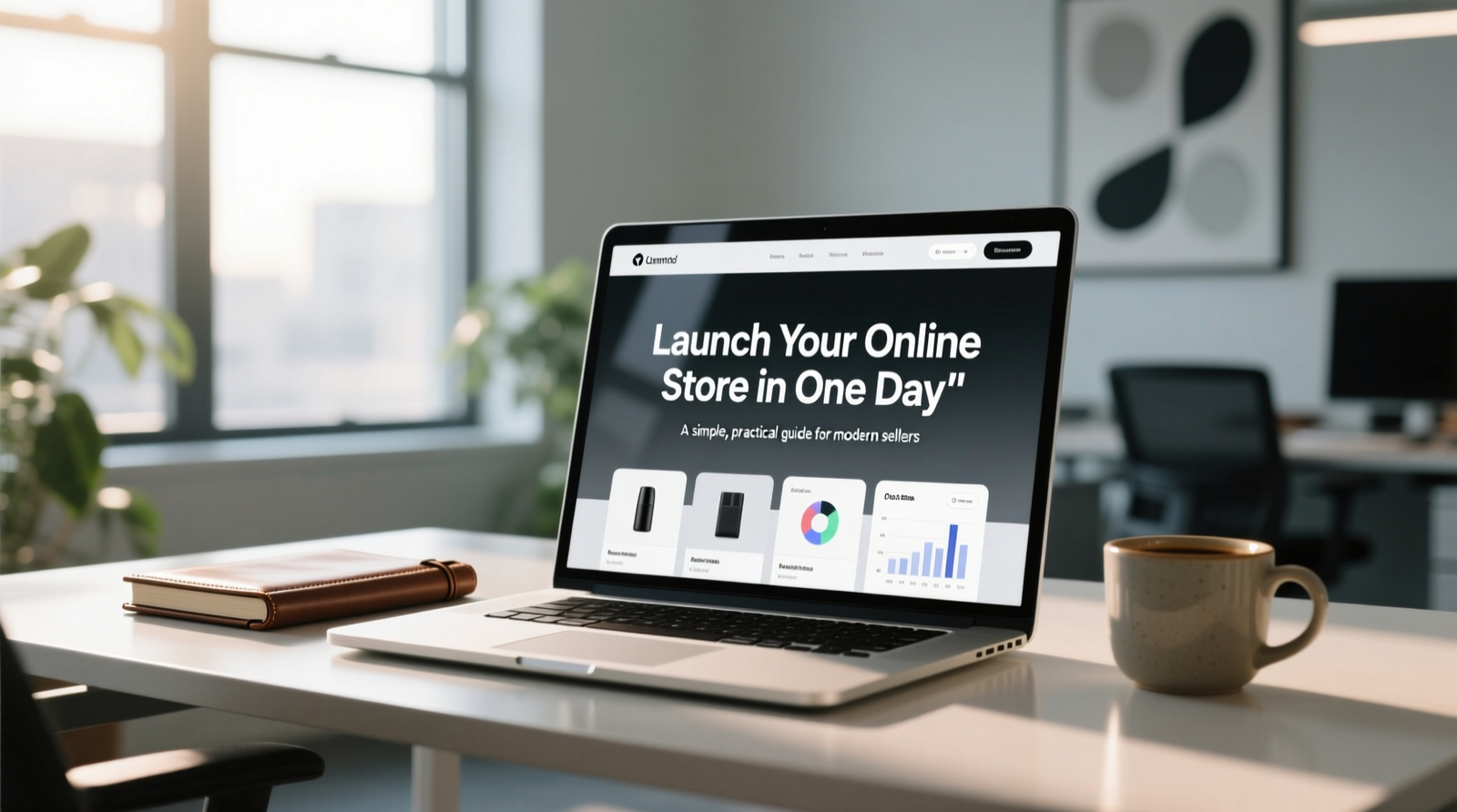
Starting an online business no longer requires months of planning, complex development, or technical expertise. With the right tools and a clear approach, you can launch a fully functional online store in just one day—and start selling immediately.
This guide explains exactly how to do that, step by step, using modern eCommerce best practices designed for beginners, startups, and growing brands.
Why Starting an Online Store Is Easier Than Ever
What You Need Before Launching Your Online Store
Step-by-Step Guide to Launch an Online Store in One Day
Common Mistakes New Online Sellers Should Avoid
How to Start Getting Sales After Launch
Final Thoughts: Launch Fast, Grow Smart
In the past, launching an online store required hiring developers, managing servers, and handling complex integrations. Today, modern eCommerce platforms eliminate these barriers.
You can now:
Create a professional store without coding
Accept online payments instantly
Manage products, orders, and customers from one dashboard
Launch using ready-made themes and automation tools
This shift has opened doors for small businesses, creators, resellers, and entrepreneurs who want to start selling online quickly and efficiently.
Before you begin, make sure you have these essentials ready. This preparation saves time and ensures a smooth launch.
Basic Requirements
Business or store name
Products (physical or digital)
Product prices and descriptions
Logo or brand identity (optional but recommended)
Payment gateway details
Optional but Helpful
Custom domain name
Brand colors and fonts
Social media profiles
Once these are prepared, you’re ready to build your store.
Step 1: Choose the Right eCommerce Platform
Select a platform that offers:
Quick setup
No technical complexity
Built-in payment gateway support
Mobile-friendly themes
Scalable plans
Avoid platforms that require heavy customization or third-party plugins at the beginning.
Step 2: Create Your Store and Dashboard Access
After signing up:
Access your vendor dashboard
Set basic store details (store name, currency, language)
Configure business information
This step usually takes less than 15 minutes.
Step 3: Select a Professional Store Theme
Your store design plays a critical role in conversions.
Choose a theme that:
Loads fast
Looks clean and modern
Works well on mobile devices
Highlights products clearly
A minimal, well-structured theme builds customer trust instantly.
Step 4: Add Products to Your Store
Upload your products with:
Clear product names
High-quality images
Simple, benefit-focused descriptions
Correct pricing and stock details
Focus on clarity rather than overloading information. Customers prefer clean and easy-to-read product pages.
Step 5: Set Up Payment Gateway
Enable your payment gateway so customers can pay securely.
Make sure to:
Test transactions
Enable multiple payment options if available
Display payment security clearly on checkout pages
A smooth checkout experience directly impacts sales.
Step 6: Configure Shipping or Delivery Settings
Define:
Delivery charges
Shipping zones
Order processing time
Transparent delivery details reduce abandoned carts and customer complaints.
Step 7: Publish and Go Live
Once everything is set:
Preview your store
Check mobile responsiveness
Place a test order
Your online store is now live and ready to accept orders—within a single day.
Many first-time sellers fail not because of poor products, but due to avoidable mistakes.
Mistake 1: Overcomplicating the Store
Too many banners, popups, or colors confuse buyers. Keep it simple.
Mistake 2: Ignoring Mobile Users
Most customers shop on mobile. Always optimize for small screens.
Mistake 3: Weak Product Descriptions
Generic descriptions reduce trust. Explain benefits clearly.
Mistake 4: Hidden Costs
Unexpected charges at checkout drive customers away. Be transparent.
Launching the store is only the first step. To start generating sales:
Promote on Social Media
Share your store with:
WhatsApp groups
Instagram and Facebook
Existing customer lists
Offer a Launch Deal
Limited-time discounts or free delivery encourage first purchases.
Build Trust Early
Add:
Clear policies
Contact details
Secure payment indicators
Trust converts visitors into buyers.
Launching an online store in one day is no longer a dream—it’s a practical reality. With the right platform and a focused approach, anyone can start selling online without technical barriers.
The key is not perfection, but progress. Launch fast, learn from customers, and continuously improve your store as you grow.
If you’re serious about starting your online business, the best time to launch is today.

Launching an online store is exciting, but growing it quickly is where many vendors face challenges. From store setup and payment configuration to managing orders and scaling operations, the process can feel complex and time consuming. Store Launchpad is designed to remove these barriers and help vendors move faster with confidence and control. This blog explains how Store Launchpad supports vendors at every stage of their journey and helps them achieve success in less time. Table of Contents Faster Store Setup Without Technical Skills One Dashboard for Complete Store Control Optimized for Speed and Performance Built in Tools That Drive More Sales Data Insights for Smarter Decisions Flexible Platform That Grows With You Cost Effective Solution With Full Control Why Vendors Grow Faster With Store Launchpad Faster Store Setup Without Technical Skills Time is critical when starting a business. Store Launchpad allows vendors to launch a professional online store quickly without any technical knowledge. The setup process is simple and guided, making it ideal for beginners. Vendors can create their store, add products, and go live without dealing with coding or complex configurations. This faster launch means vendors can focus on selling instead of troubleshooting. One Dashboard for Complete Store Control Managing multiple tools slows down daily operations. Store Launchpad provides a centralized dashboard where vendors can manage everything from one place. From the dashboard, vendors can handle products, orders, customers, payments, and store settings easily. Having all essential features in one system improves efficiency and saves valuable time. Optimized for Speed and Performance A fast website builds trust and improves conversions. Store Launchpad is optimized for performance, ensuring stores load quickly and work smoothly across all devices. With a streamlined checkout experience and mobile friendly design, vendors can deliver a better shopping experience that keeps customers engaged and ready to buy. Built in Tools That Drive More Sales Store Launchpad includes powerful tools designed to help vendors increase revenue. These features are built directly into the platform so vendors do not need external services. Vendors can use discounts, referral programs, customer wallets, and flexible payment options to attract more customers and encourage repeat purchases. Data Insights for Smarter Decisions Successful businesses rely on data. Store Launchpad provides clear and easy to understand insights that help vendors track performance. Vendors can monitor sales trends, order activity, and customer behavior, allowing them to make informed decisions and improve their strategies faster. Flexible Platform That Grows With You Every business grows at a different pace. Store Launchpad is flexible enough to support new sellers and scalable enough for growing vendors. As vendors expand their product range and customer base, they can upgrade features and plans without changing platforms. This flexibility ensures uninterrupted growth. Cost Effective Solution With Full Control Many ecommerce platforms come with hidden fees and restrictions. Store Launchpad focuses on transparent pricing and full vendor control. Vendors maintain ownership of their store, manage their pricing freely, and avoid unnecessary costs. Lower expenses lead to better profit margins and faster success. Why Vendors Grow Faster With Store Launchpad Store Launchpad is built to remove friction from the ecommerce journey. Vendors succeed faster because they can launch quickly, manage efficiently, sell more effectively, and scale without limitations. By combining simplicity, performance, and growth focused tools, Store Launchpad creates the foundation vendors need to succeed in a competitive market. Final Thoughts Growing an online business requires the right platform and the right tools. Store Launchpad empowers vendors to move from idea to revenue faster by eliminating complexity and supporting growth at every stage. For vendors who want speed, control, and long term success, Store Launchpad is the platform that makes it possible.
Starting an online business no longer requires months of planning, complex development, or technical expertise. With the right tools and a clear approach, you can launch a fully functional online store in just one day—and start selling immediately. This guide explains exactly how to do that, step by step, using modern eCommerce best practices designed for beginners, startups, and growing brands. Table of Contents Why Starting an Online Store Is Easier Than Ever What You Need Before Launching Your Online Store Step-by-Step Guide to Launch an Online Store in One Day Common Mistakes New Online Sellers Should Avoid How to Start Getting Sales After Launch Final Thoughts: Launch Fast, Grow Smart 1. Why Starting an Online Store Is Easier Than Ever In the past, launching an online store required hiring developers, managing servers, and handling complex integrations. Today, modern eCommerce platforms eliminate these barriers. You can now: Create a professional store without coding Accept online payments instantly Manage products, orders, and customers from one dashboard Launch using ready-made themes and automation tools This shift has opened doors for small businesses, creators, resellers, and entrepreneurs who want to start selling online quickly and efficiently. 2. What You Need Before Launching Your Online Store Before you begin, make sure you have these essentials ready. This preparation saves time and ensures a smooth launch. Basic Requirements Business or store name Products (physical or digital) Product prices and descriptions Logo or brand identity (optional but recommended) Payment gateway details Optional but Helpful Custom domain name Brand colors and fonts Social media profiles Once these are prepared, you’re ready to build your store. 3. Step-by-Step Guide to Launch an Online Store in One Day Step 1: Choose the Right eCommerce Platform Select a platform that offers: Quick setup No technical complexity Built-in payment gateway support Mobile-friendly themes Scalable plans Avoid platforms that require heavy customization or third-party plugins at the beginning. Step 2: Create Your Store and Dashboard Access After signing up: Access your vendor dashboard Set basic store details (store name, currency, language) Configure business information This step usually takes less than 15 minutes. Step 3: Select a Professional Store Theme Your store design plays a critical role in conversions. Choose a theme that: Loads fast Looks clean and modern Works well on mobile devices Highlights products clearly A minimal, well-structured theme builds customer trust instantly. Step 4: Add Products to Your Store Upload your products with: Clear product names High-quality images Simple, benefit-focused descriptions Correct pricing and stock details Focus on clarity rather than overloading information. Customers prefer clean and easy-to-read product pages. Step 5: Set Up Payment Gateway Enable your payment gateway so customers can pay securely. Make sure to: Test transactions Enable multiple payment options if available Display payment security clearly on checkout pages A smooth checkout experience directly impacts sales. Step 6: Configure Shipping or Delivery Settings Define: Delivery charges Shipping zones Order processing time Transparent delivery details reduce abandoned carts and customer complaints. Step 7: Publish and Go Live Once everything is set: Preview your store Check mobile responsiveness Place a test order Your online store is now live and ready to accept orders—within a single day. 4. Common Mistakes New Online Sellers Should Avoid Many first-time sellers fail not because of poor products, but due to avoidable mistakes. Mistake 1: Overcomplicating the Store Too many banners, popups, or colors confuse buyers. Keep it simple. Mistake 2: Ignoring Mobile Users Most customers shop on mobile. Always optimize for small screens. Mistake 3: Weak Product Descriptions Generic descriptions reduce trust. Explain benefits clearly. Mistake 4: Hidden Costs Unexpected charges at checkout drive customers away. Be transparent. 5. How to Start Getting Sales After Launch Launching the store is only the first step. To start generating sales: Promote on Social Media Share your store with: WhatsApp groups Instagram and Facebook Existing customer lists Offer a Launch Deal Limited-time discounts or free delivery encourage first purchases. Build Trust Early Add: Clear policies Contact details Secure payment indicators Trust converts visitors into buyers. 6. Final Thoughts: Launch Fast, Grow Smart Launching an online store in one day is no longer a dream—it’s a practical reality. With the right platform and a focused approach, anyone can start selling online without technical barriers. The key is not perfection, but progress. Launch fast, learn from customers, and continuously improve your store as you grow. If you’re serious about starting your online business, the best time to launch is today.

Branding is not just about logos or colors. For small online businesses, branding is how customers recognize you, remember you, and decide whether to trust you. A strong brand makes your business feel established even when you are just starting. This guide shares practical branding tips tailored specifically for small online businesses looking to stand out, build trust, and grow sustainably. Table of Contents What Branding Really Means for Small Businesses Defining Your Brand Personality Creating a Clear Brand Message Visual Consistency Across Your Online Store Writing in a Brand Voice Customers Trust Building Brand Recognition Through Experience Using Content to Strengthen Your Brand Branding Mistakes Small Businesses Should Avoid Final Thoughts Build a Brand That Lasts 1. What Branding Really Means for Small Businesses For small online businesses, branding is the overall impression people form when they interact with your store. It includes how your store looks, how you communicate, and how customers feel after engaging with your business. Strong branding helps you Appear professional Gain customer trust faster Stand out in competitive markets Encourage repeat purchases Branding is not about size. It is about clarity and consistency. 2. Defining Your Brand Personality Every brand has a personality, whether intentional or not. Defining yours helps guide all decisions. Ask yourself Is your brand friendly or formal Modern or traditional Bold or minimal Once defined, your brand personality should reflect in visuals, language, and customer interactions. 3. Creating a Clear Brand Message A clear brand message explains what you offer and why it matters without confusion. Your message should answer Who your product is for What problem it solves Why customers should choose you Keep this message consistent across your homepage, product pages, and marketing content. 4. Visual Consistency Across Your Online Store Visual consistency makes your store recognizable and trustworthy. Focus on Using the same color palette throughout Choosing one or two fonts Keeping layouts clean and familiar Consistency reduces confusion and strengthens brand recall. 5. Writing in a Brand Voice Customers Trust Your brand voice is how you sound when you write. A trustworthy brand voice is Clear and easy to understand Honest and transparent Professional without being complicated Whether it is product descriptions, policies, or emails, your tone should feel consistent and reliable. 6. Building Brand Recognition Through Experience Branding goes beyond visuals. It lives in the experience you provide. Customer experience branding includes Easy navigation Smooth checkout Prompt responses to queries Clear delivery information When customers have a positive experience, they associate that feeling with your brand. 7. Using Content to Strengthen Your Brand Content is one of the most effective ways to build brand authority. You can strengthen branding by Publishing helpful blog posts Sharing useful tips related to your niche Educating customers rather than selling aggressively Good content positions your brand as knowledgeable and reliable. 8. Branding Mistakes Small Businesses Should Avoid Some common branding mistakes can weaken trust. Avoid Copying competitors branding Changing colors and tone frequently Overloading visuals Sending mixed messages Strong brands are consistent, not complicated. 9. Final Thoughts Build a Brand That Lasts Branding is a long-term investment. Small online businesses that focus on clarity, consistency, and customer trust build brands that grow naturally over time. You do not need a big budget to build a strong brand. You only need a clear direction and commitment to consistency.

Trust is the foundation of every successful online store. When visitors land on your website, they decide within seconds whether your brand feels safe, reliable, and worth their money. Even the best products will not sell if customers hesitate to trust your store. This guide explains the most important trust factors every online store must have to convert visitors into loyal customers. Table of Contents Why Trust Matters in Online Selling Clear Business Identity Professional Website Design Secure Website Connection Transparent Pricing and Policies Real Customer Reviews and Testimonials Multiple Secure Payment Options Clear Product Information Easy Contact and Customer Support Trust Badges and Certifications Consistent Branding Across Platforms Honest Shipping Information Final Thoughts Why Trust Matters in Online Selling Online shoppers cannot touch or test products. They rely entirely on what they see on your website. A lack of trust leads to abandoned carts, low conversions, and lost revenue. A trustworthy store creates confidence, reduces hesitation, and encourages repeat purchases. Clear Business Identity Customers want to know who they are buying from. Your online store should clearly display • Brand name and logo • About Us page with real information • Business address or operating location • Contact details such as email or support form A transparent identity shows that your business is legitimate and accountable. Professional Website Design Design plays a major role in trust building. A professional store should have • Clean layout and consistent branding • Easy navigation • Proper spacing and readable fonts • No broken links or unfinished pages A poorly designed website instantly creates doubt, even if your products are excellent. Secure Website Connection Security is essential for online selling. Your website must • Use HTTPS with a valid SSL certificate • Display secure checkout indicators • Protect customer data and payment details Customers are far more likely to buy when they see their information is safe. Transparent Pricing and Policies Hidden costs destroy trust immediately. Every store must clearly show • Product prices • Taxes and delivery charges if applicable • Refund policy • Return policy • Terms and conditions When customers know exactly what to expect, they feel comfortable completing the purchase. Real Customer Reviews and Testimonials Social proof is one of the strongest trust factors. Displaying genuine reviews helps customers • Validate product quality • Feel confident about purchasing • Trust your brand through real experiences Honest feedback builds long term credibility and loyalty. Multiple Secure Payment Options Payment flexibility increases trust and conversions. Your store should offer • Trusted payment gateways • Popular payment methods used by your audience • Clear payment confirmation after checkout Customers feel safer when they see familiar and reliable payment options. Clear Product Information Unclear product details create hesitation. Every product page should include • High quality images • Accurate descriptions • Size or specification details • Usage or care instructions if needed Transparency reduces confusion and builds buyer confidence. Easy Contact and Customer Support Customers trust stores that are easy to reach. Provide • Contact page • Support email or chat option • Response time expectations Knowing help is available reassures buyers before and after purchase. Trust Badges and Certifications Visual trust signals make a strong impact. Examples include • Secure checkout badges • Payment provider logos • Verified business indicators These elements quietly reinforce safety and authenticity. Consistent Branding Across Platforms Consistency builds recognition and reliability. Your branding should match across • Website • Social media pages • Emails and marketing materials Consistency helps customers feel confident that your store is established and professional. Honest Shipping Information Unclear delivery timelines reduce trust. Always mention • Estimated delivery time • Shipping process • Tracking availability Clear shipping communication prevents frustration and improves customer satisfaction. Final Thoughts Trust is not built with a single feature. It is created through clarity, transparency, and professionalism at every step of the customer journey. By implementing these trust factors, your online store can increase conversions, reduce cart abandonment, and build long term customer relationships. A trusted store does not just sell products. It builds confidence.

Stay updated with the latest news, tips, and exclusive offers. Subscribe to our newsletter today!